
Melihat Informasi Siswa dan Keluarga / Viewing Student and Family Information
A student’s school information (such as their form, year, house, attendance summaries, etc.) are shown on the Student Information page. The Family Information menu item displays all related family details, siblings, address details, parent contact details and emergency contacts.
Users may not be able to view all the information, depending on their permission settings. All users, regardless of permission settings, can view the school information (year level, form, house, etc.), as well as any siblings in the student’s family. However, extra permissions are required to view a student’s personal information (parent contact details, mobile number, address, email, emergency details, etc.).
Steps:
- Find a student or parent using the search bar and click on their name to go to the student dashboard.
- Click on the Student Information item in the left hand menu to view school-related and student contact details.
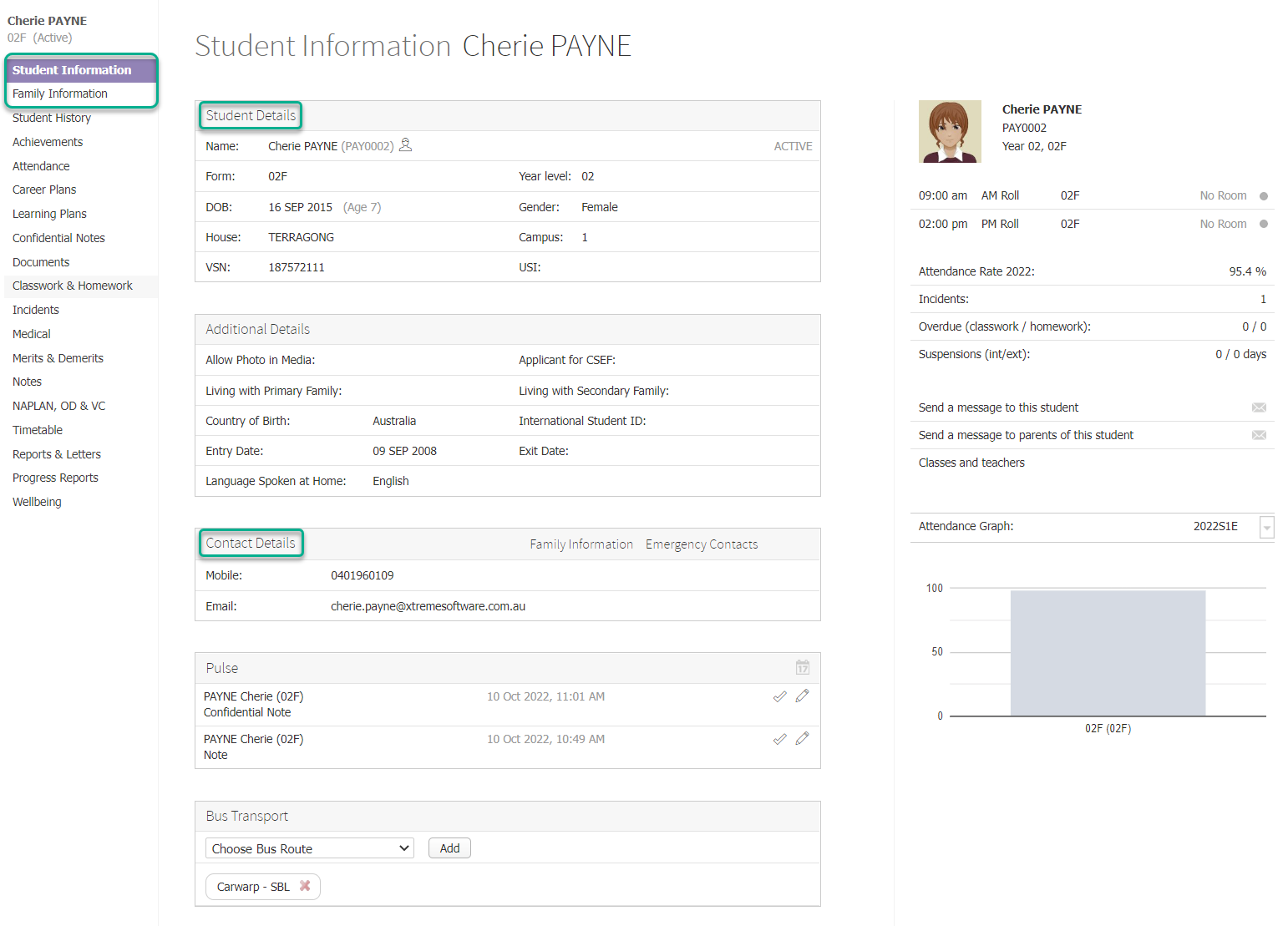
- Click on the Family Information item in the left hand menu to view the student’s family details, like parent details and emergency contacts, including addresses, occupations, and contact details.
Pengguna mungkin tidak dapat melihat semua informasi, tergantung pada pengaturan izin mereka. Semua pengguna, terlepas dari pengaturan izin, dapat melihat informasi sekolah (tingkat tahun, kelas, rumah, dll.), serta saudara kandung dalam keluarga siswa. Namun, izin tambahan diperlukan untuk melihat informasi pribadi siswa (detail kontak orang tua, nomor ponsel, alamat, email, detail darurat, dll.).
Langkah:
- Cari siswa atau orang tua menggunakan bilah pencarian dan klik namanya untuk masuk ke dashboard siswa.
- Klik pada Student Information item di menu sisi kiri untuk melihat detail kontak siswa dan yang terkait dengan sekolah.
- Klik pada Family Information item di menu sisi kiri untuk melihat detail keluarga siswa, seperti detail orang tua dan kontak darurat, termasuk alamat, pekerjaan, dan detail kontak.