
How to Use Relief Teacher Timesheets
Cara menggunakan Relief Teacher Timesheets
Gunakan Relief Teacher Timesheet di Prestia untuk membuat laporan dan melakukan penagihan (invoice) kepada relief teacher sepanjang tahun.
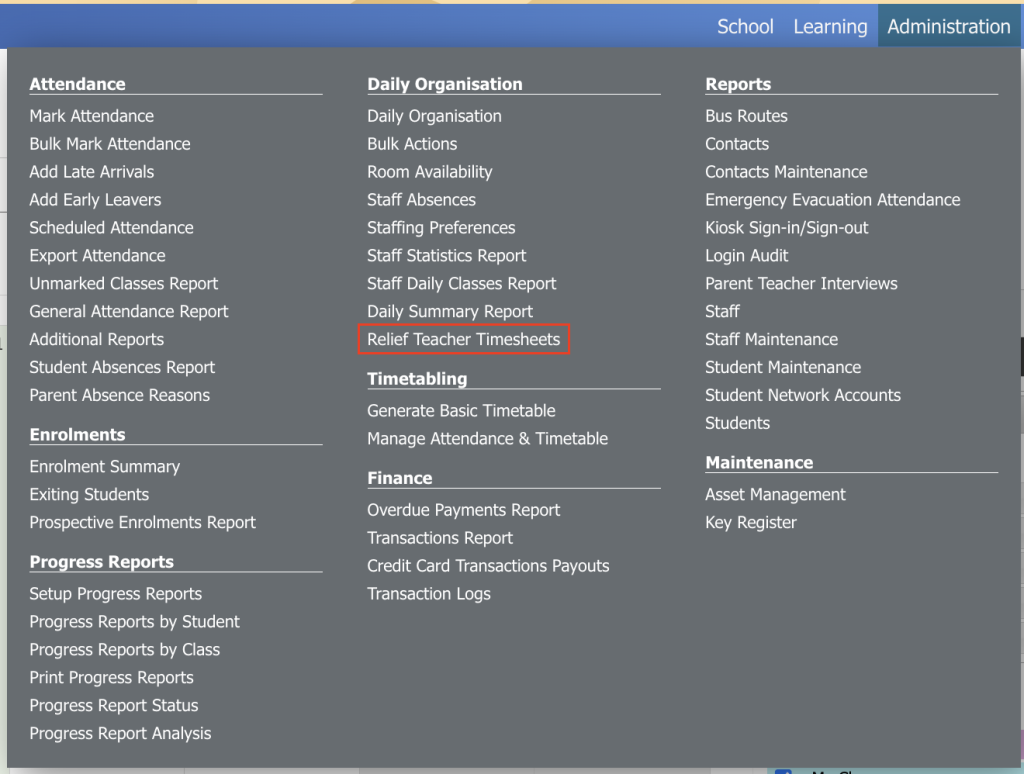
1. Klik Administration, lalu klik Relief Teacher Timesheets.
2. Halaman akan menampilkan relief teacher timesheet untuk minggu berjalan. Untuk melihat rentang tanggal yang berbeda, klik date selector di pojok kanan atas halaman, lalu pilih tanggal yang ingin Anda tampilkan. Setelah itu, klik Update.
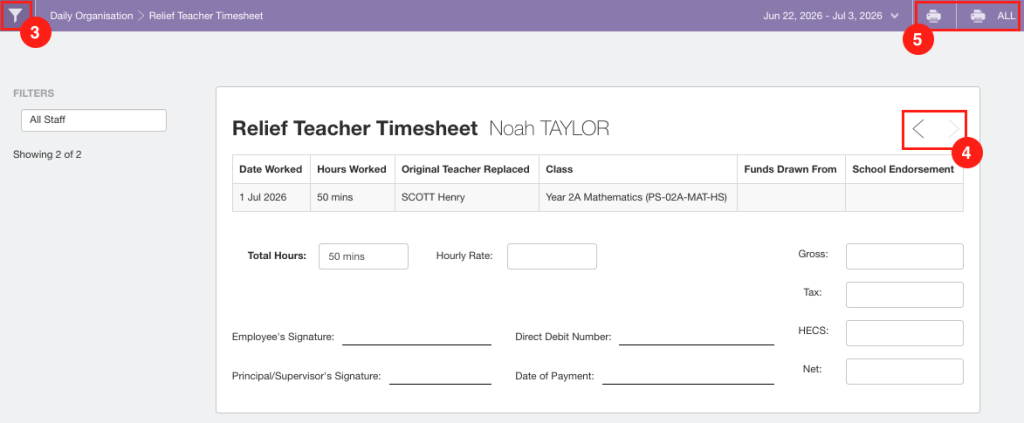
3. Klik filter box pada bagian Filters untuk menampilkan satu atau beberapa Relief Teacher Timesheet tertentu.
4. Klik navigation arrows di pojok kanan atas timesheet untuk berpindah ke timesheet guru berikutnya.
5. Klik ikon Print atau Print ALL di pojok kanan atas halaman untuk mencetak timesheet.
Catatan: Kolom yang kosong pada timesheet disediakan untuk diisi dan diproses secara manual setelah timesheet dicetak dari Prestia.
- Click on Administration and then click on Relief Teacher Timesheets.
- The page will display the current week of relief teacher timesheets. To view a different date range, click on the date selector at the top right of the page then select the dates that you would like to see. Then click Update.
- Click on the filter box under the ‘Filters’ heading, to view one or more specific Relief Teacher Timesheets.
- Click on the navigation arrows on the top right of the timesheet to go to the next teachers timesheet.
- Click on the Print or Print ALL icons in the top right hand corner of the page to print out the timesheets.
Note: The empty fields on the timesheet are provided for manual entry and processing once the timesheets have been printed out of Prestia.