
Skip to main content
What can we help you with?
How to Use The Notification Sidebar
- Click on the Bell icon at the top right or your screen in the blue header bar to reveal the notification sidebar on any page in Prestia. The icon is located between the Link icon and the search bar.
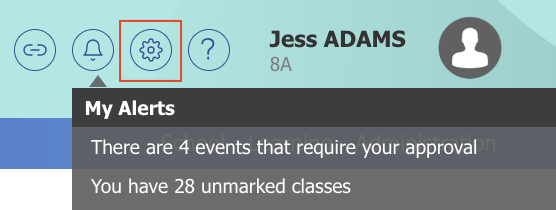
- Hover your mouse pointer on top of Calendar events to reveal more details.
- Click on any item in the notification sidebar to be directed to its relevant page.
- To hide the notification sidebar, click on the Bell icon again.
- Klik ikon Lonceng di kanan atas layar Anda di bilah header biru untuk menampilkan bilah sisi notifikasi di halaman mana pun di Prestia. Ikon tersebut terletak di antara ikon Link dan bilah pencarian.
- Arahkan kursor mouse Anda ke atas Calendar events untuk melihat detail lebih lanjut.
- Klik item apa pun di bilah sisi notifikasi untuk diarahkan ke halaman yang relevan.
- Untuk menyembunyikan bilah sisi notifikasi, klik ikon Lonceng lagi.