
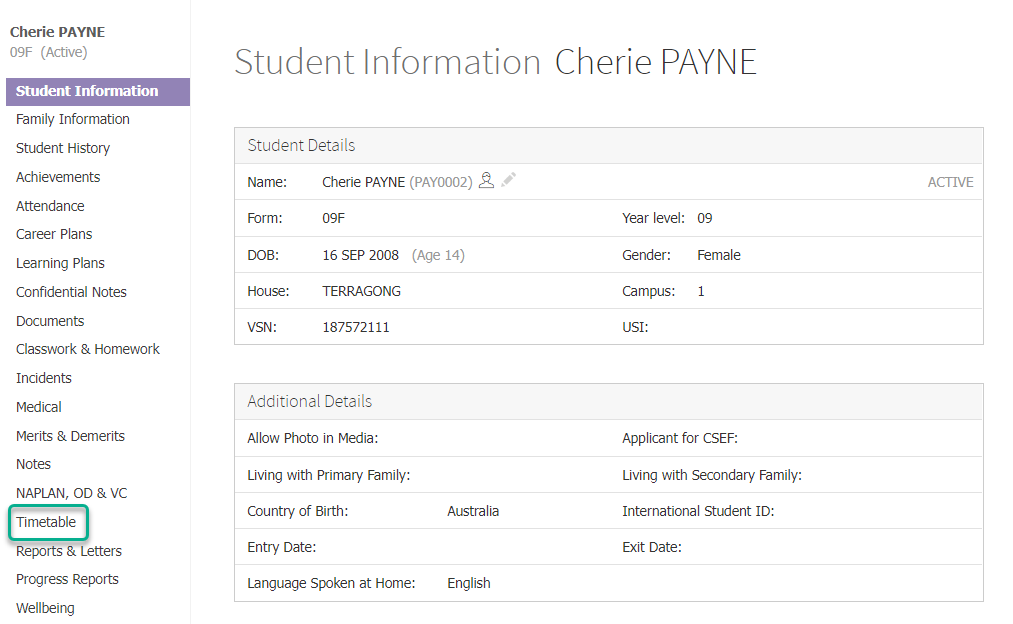
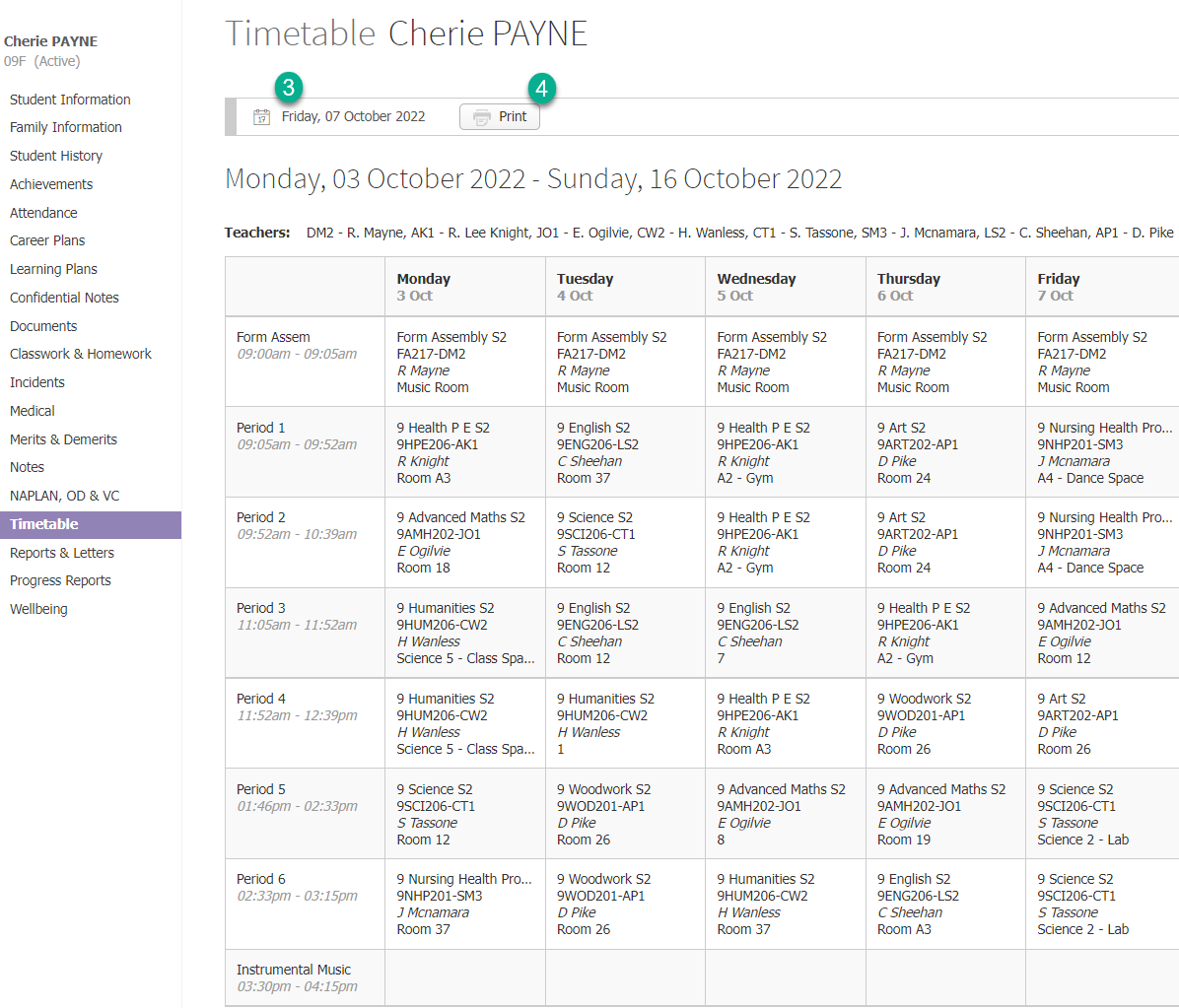
Viewing and Printing a Student TimetableBy Ame / July 6, 2026 Skip to main content What can we help you with? Main Teachers Timetables, class lists and staff changes Viewing and Printing a Student Timetable Print Viewing and Printing a Student Timetable PostedJuly 6, 2026 UpdatedJuly 22, 2026 ByAme Melihat dan Mencetak Jadwal (Timetable) Siswa Prestia memungkinkan Anda untuk melihat jadwal siswa saat ini. Dari menu yang sama, ada opsi untuk mencetak jadwal yang sedang Anda lihat. Langkah Temukan siswa menggunakan bilah pencarian dan klik namanya untuk pergi ke dashboard siswa mereka. Klik item Timetable di menu sebelah kiri. Untuk mengubah tanggal yang ditampilkan, klik Tanggal di bagian atas halaman dan pilih hari dari pemilih kalender yang muncul. Untuk mencetak jadwal, klik tombol Print. Viewing and Printing a Student Timetable Prestia allows you to view a student’s current timetable. From the same menu, there’s an option to print the timetable you’re viewing. Steps Find a student using the search bar and click on their name to go to their student dashboard. Click on the Timetable item in the left hand menu. To change the dates shown, click on the Date at the top of the page and select a day from the calendar picker that appears. To print the timetable, click on the Print button. Table of Contents
Main Teachers Timetables, class lists and staff changes Viewing and Printing a Student Timetable Print Viewing and Printing a Student Timetable PostedJuly 6, 2026 UpdatedJuly 22, 2026 ByAme Melihat dan Mencetak Jadwal (Timetable) Siswa Prestia memungkinkan Anda untuk melihat jadwal siswa saat ini. Dari menu yang sama, ada opsi untuk mencetak jadwal yang sedang Anda lihat. Langkah Temukan siswa menggunakan bilah pencarian dan klik namanya untuk pergi ke dashboard siswa mereka. Klik item Timetable di menu sebelah kiri. Untuk mengubah tanggal yang ditampilkan, klik Tanggal di bagian atas halaman dan pilih hari dari pemilih kalender yang muncul. Untuk mencetak jadwal, klik tombol Print. Viewing and Printing a Student Timetable Prestia allows you to view a student’s current timetable. From the same menu, there’s an option to print the timetable you’re viewing. Steps Find a student using the search bar and click on their name to go to their student dashboard. Click on the Timetable item in the left hand menu. To change the dates shown, click on the Date at the top of the page and select a day from the calendar picker that appears. To print the timetable, click on the Print button.